








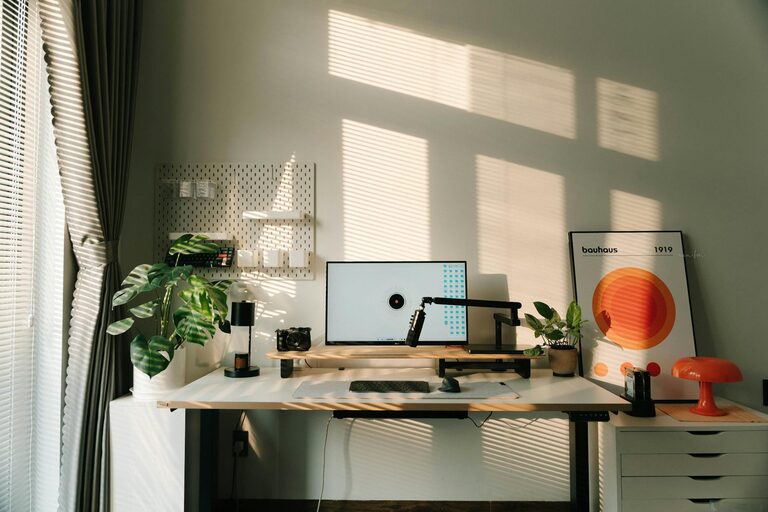
Creating a home office that combines comfort with functionality is essential for anyone working remotely or managing tasks at home. A well-designed workspace can improve your focus, reduce stress, and make your workday more enjoyable. Whether you have a dedicated room or just a small corner, these tips will help you set up a cozy and effective home office.
Choose the Right Location
Start by picking a spot in your home that minimizes distractions. A quiet corner away from high-traffic areas like the kitchen or living room is ideal. If possible, select a place with good natural light, as it can boost your mood and energy levels.
Consider the Space Available
– Dedicated room: Offers privacy and more room for furniture.
– Small nook or corner: Requires clever space-saving solutions.
– Shared area: Use room dividers or screens to create boundaries.
Invest in Comfortable Furniture
Your furniture should support your body and promote good posture during long hours of work.
Ergonomic Chair
– Look for adjustable height and lumbar support.
– Choose breathable materials to stay comfortable all day.
Desk Options
– Standard desks work well for most setups.
– Standing desks or convertible models offer flexibility.
– Ensure the desk fits your equipment without feeling cramped.
Optimize Lighting
Lighting is crucial for reducing eye strain and maintaining focus.
Maximize Natural Light
– Position your desk near a window if possible.
– Use sheer curtains to diffuse harsh sunlight.
Add Task Lighting
– Desk lamps with adjustable brightness help illuminate your workspace.
– Consider warm light bulbs for a cozy feel.
Organize Your Workspace
A tidy desk can help clear your mind and make it easier to find essentials.
Declutter Regularly
– Remove unnecessary items daily.
– Keep only what you frequently use on your desk.
Storage Solutions
– Use shelves, drawers, and bins to keep supplies organized.
– Label containers to quickly locate what you need.
Personalize for Comfort and Inspiration
Adding personal touches can make your office feel welcoming and motivate you.
Decor Ideas
– Hang artwork or photos that inspire you.
– Use plants to add a natural, calming element.
– Choose colors that you find soothing or energizing.
Comfort Extras
– Keep a soft blanket or cushion nearby.
– Include a small speaker for background music if it helps your focus.
Manage Technology Efficiently
Having your devices organized will save time and reduce frustration.
Cable Management
– Use clips, ties, or sleeves to keep cords neat.
– Consider wireless peripherals to minimize clutter.
Essential Equipment
– Reliable internet connection.
– Quality headphones for calls.
– External monitors for better screen space.
Maintain Boundaries Between Work and Home Life
Creating a home office is not just about space but also about mindset.
Set a Routine
– Start and end your workday at consistent times.
– Take regular breaks to stretch and relax.
Define the Workspace
– Use physical barriers or signs to signal work hours to family members.
– Avoid working in bed or on the couch to maintain separation.
Conclusion
Designing a cozy and functional home office doesn’t require a large budget or space—just thoughtful planning and attention to comfort and organization. By choosing the right location, investing in ergonomic furniture, optimizing lighting, and personalizing your environment, you can create a productive and pleasant workspace tailored to your needs. Remember, the goal is to build a setting where you can focus, feel comfortable, and maintain a healthy balance between work and home life.