








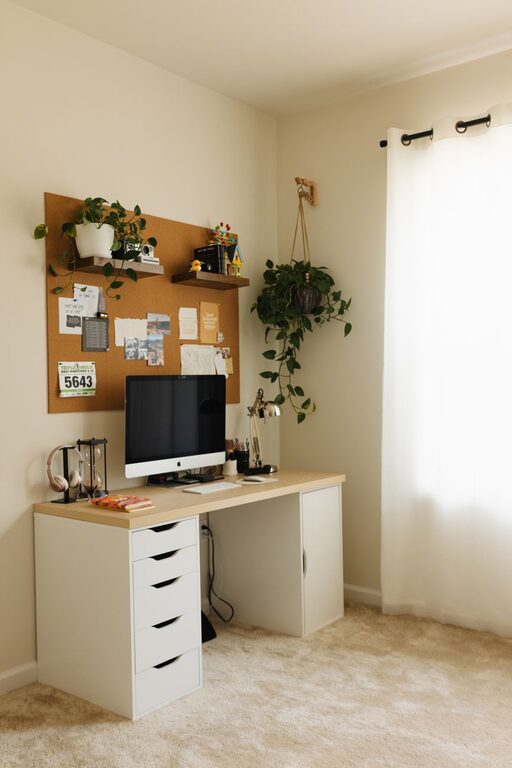
Creating a home office that’s both cozy and productive can make a significant difference in how you work and feel throughout the day. Whether you’re working remotely full-time or just need a dedicated space for occasional projects, a well-designed home office can help you stay focused, motivated, and comfortable. Here are some valuable tips to help you create a workspace that blends comfort with efficiency.
Choose the Right Location
Find a Quiet Spot
Start by selecting a part of your home that experiences minimal noise and distractions. This could be a spare bedroom, a corner in the living room, or even a converted closet. The key is to pick a space where you can concentrate without interruptions.
Consider Natural Light
Natural light has been shown to improve mood and productivity. Try to position your desk near a window to take advantage of daylight. If this isn’t possible, be sure to invest in quality lighting that mimics natural light to reduce eye strain.
Invest in Comfortable Furniture
Ergonomic Chair
An ergonomic chair supports your posture and reduces discomfort during long hours of sitting. Look for adjustable chairs that provide good lumbar support and allow your feet to rest flat on the floor.
Functional Desk
Choose a desk that fits your needs and the space available. Whether it’s a compact standing desk or a traditional worktable, make sure it has enough surface area for your computer, paperwork, and any other essentials.
Personalize Your Space
Add Cozy Elements
Adding soft textures like a cushion, throw blanket, or a small rug can make your office feel welcoming. These touches help create a cozy atmosphere that reduces stress.
Incorporate Plants
Indoor plants can brighten the room and improve air quality. Easy-to-care-for plants like succulents or pothos require minimal maintenance and bring a touch of nature indoors.
Organize Efficiently
Declutter Regularly
A cluttered workspace can cause distractions and reduce efficiency. Make it a habit to clear your desk at the end of each day and organize your items in drawers or storage bins.
Use Storage Solutions
Invest in shelves, filing cabinets, or desk organizers to keep documents and supplies neatly stored. Labeling boxes and folders helps you find things quickly.
Manage Technology Wisely
Cable Management
Tidy up cables using clips, ties, or sleeves to prevent tangling and maintain a neat workspace. This not only looks better but also prevents accidents.
Quality Equipment
Ensure your computer, monitor, keyboard, and mouse are functional and suited to your work style. Comfortable and responsive tools can boost both comfort and productivity.
Set Boundaries and Routines
Define Work Hours
Establish clear start and end times to maintain work-life balance. This helps your mind associate your workspace with work and encourages you to “switch off” when the day ends.
Create a Morning Routine
A consistent routine such as making a cup of tea, organizing your to-do list, or doing a few stretches can mentally prepare you for a productive day.
Mind the Ambiance
Choose Soothing Colors
Soft, neutral colors often promote calm and concentration. Consider painting your walls a light shade or incorporating these tones through your decor.
Play Background Sounds
If silence is distracting, try gentle background music or ambient sounds like rainfall or nature noises to improve focus.
Keep Comfort in Mind
Control Temperature
Maintain a comfortable temperature in your workspace with fans, heaters, or open windows, depending on the season.
Take Breaks
Remember to take regular breaks to stand, stretch, or walk around—this prevents fatigue and keeps your mind fresh.
—
With these tips, you can transform any space into a cozy and productive home office. The goal is to create an environment where you feel comfortable, organized, and motivated to tackle your workday efficiently. Happy decorating and productive working!